Bullet Journal Habit Tracker: 20 Layouts, Ideas & How to Set Yours Up
The bullet journal community figured something out that behavioral scientists would later confirm with research: when you design your own tracking system by hand, you're far more likely to use it.
There's something about drawing the grid yourself, choosing the colors, deciding which habits belong in it — that creates a level of personal investment no pre-built template can replicate. It's yours. You made it. And that ownership changes the psychology of showing up.
This guide covers everything you need to start a bullet journal habit tracker from scratch — the best layouts, the most useful ideas across every life category, setup tips that make it work long-term, and the honest limitations to watch for. Whether you're new to bullet journaling or rebuilding a system that's drifted, there's something here for every stage.
What Is a Bullet Journal Habit Tracker?
A bullet journal habit tracker is a hand-drawn or printed page inside a bullet journal (or any dot-grid notebook) that records whether you completed a set of habits each day. The most common format is a grid: habits listed down the left side, days of the month across the top, and a box at each intersection that you fill in, color, or mark when the habit is done.
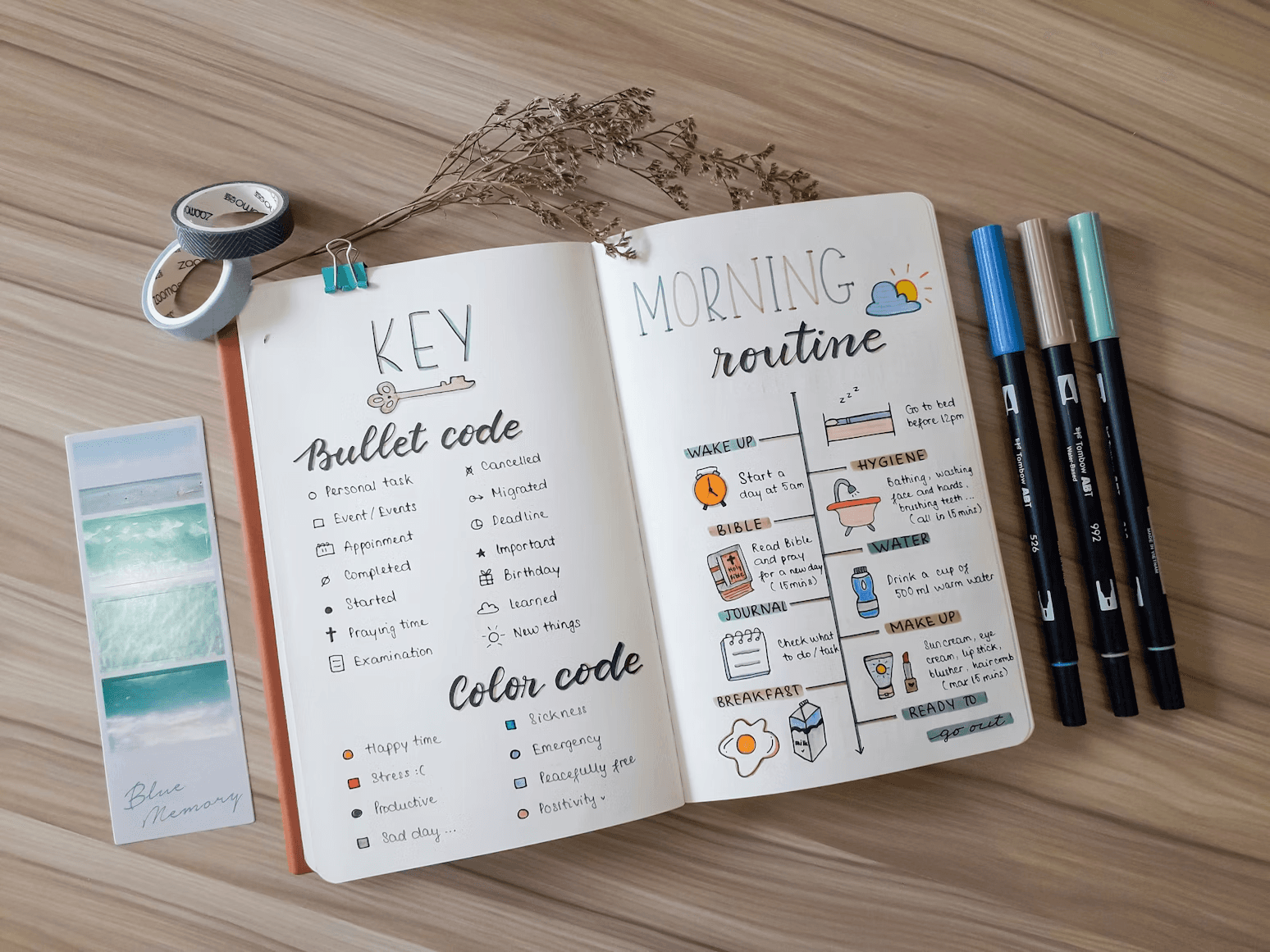
The concept grew out of Ryder Carroll's original Bullet Journal Method — a flexible analog system for organizing tasks, notes, and goals in a single notebook. Carroll's system emphasized customization over conformity: your journal should work for you, not the other way around. The habit tracker became one of the most popular modules because it combined daily accountability with creative expression in a way no app had matched.
Research on handwriting and memory from Princeton and UCLA found that writing by hand engages deeper cognitive processing than typing or tapping. Applied to habit tracking, this means that the physical act of filling in your bullet journal grid doesn't just record behavior — it reinforces it.
The Core Layout: Simple Monthly Grid
Before exploring variations, start here. The simple monthly grid is the foundation of every bullet journal habit tracker. Once you understand it, every other layout is just a variation.
How to set it up:
Draw a horizontal row of boxes across the top of a page — one box per day of the month, numbered 1 through 31. Down the left side, list each habit you want to track — one per row. Where each row meets each column, you have a box. Fill it in when the habit is done. Leave it empty when it isn't.
That's it. The power of this layout is its simplicity. At the end of the month, your consistency pattern is immediately visible — strong weeks show up as dense color, weak ones show up as gaps, and the overall shape of your month tells an honest story about where you actually are versus where you intend to be.
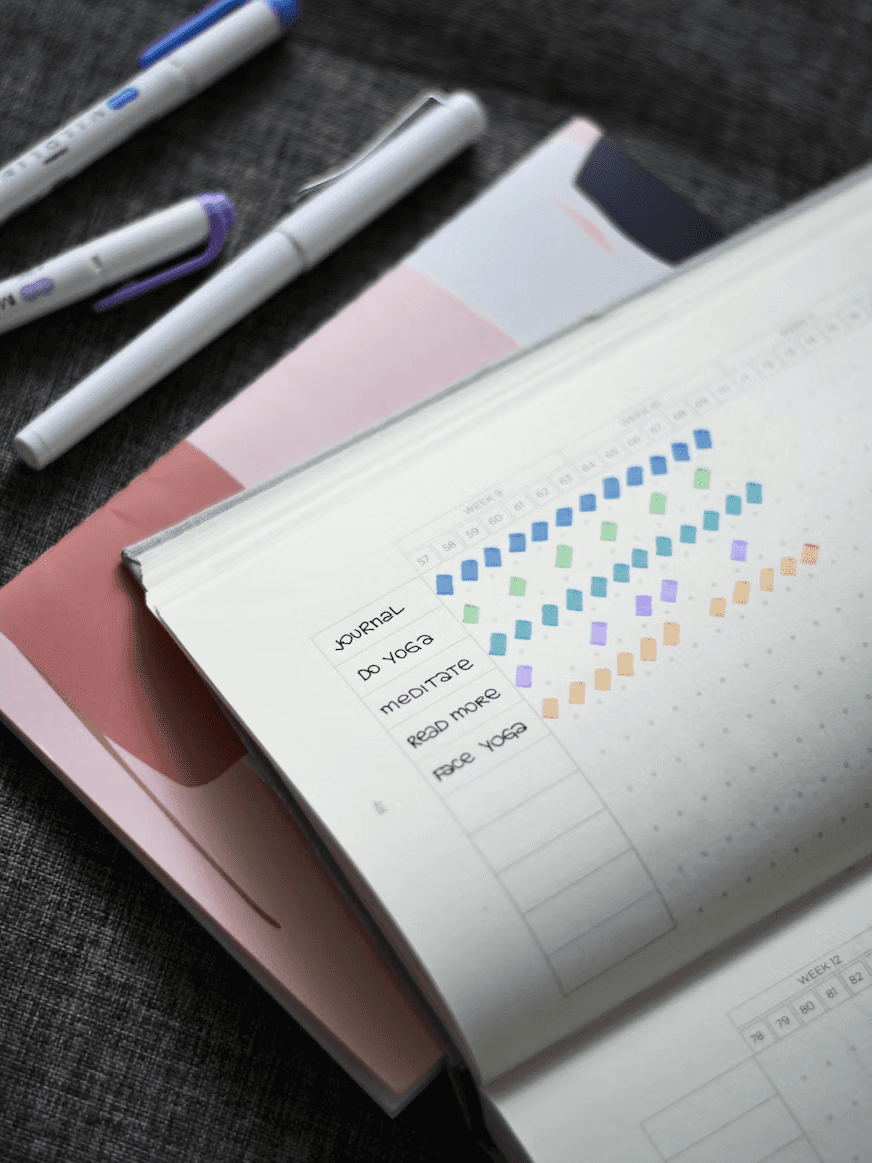
Pro tip: Leave three to five blank rows at the bottom of your grid. New habits will emerge mid-month — having space to add them without starting a new page keeps the month intact.
20 Bullet Journal Habit Tracker Layouts and Ideas
Layout 1 — Color-Coded Grid The standard grid with one upgrade: each habit gets its own color. Exercise is green, reading is blue, journaling is purple. When the month is full, the page looks like a stained-glass window of your consistency. Visually satisfying and easy to read at a glance.
Layout 2 — Mood + Habit Combo Add a mood rating row at the top of your grid — a simple 1–5 scale for each day. After a month, look for correlations: are your habits more consistent on high-mood days, or does completing habits improve your mood? The data is often surprising.
Layout 3 — Half-Page Weekly Strip Instead of a full monthly spread, track one week per half-page strip. Four strips per month. More space for notes in each week's section and easier to review week by week rather than month by month. Good for people who do weekly reviews.
Layout 4 — Minimalist Dot Tracker Replace boxes with dots. A filled dot means complete, an empty circle means missed, and an X means intentionally skipped (rest day, travel, planned break). The distinction between missed and intentionally skipped is small but psychologically meaningful — it removes the guilt of planned rest days.
Layout 5 — Habit Wheel Draw a circle divided into segments — one segment per habit. Inside each segment, divide it into 30 sections (one per day). Fill each section as you complete the habit. By month's end you have a visual wheel showing which habits had full circles and which had gaps. Works beautifully on Instagram if you share your journal.
Layout 6 — Gradient Tracker Use a single color in different intensities. Full completion = darkest shade, partial = medium, missed = lightest or blank. Useful for habits that aren't purely binary — like "drink water" where you might get 1.5L instead of 2L. The gradient captures nuance without losing the visual impact.
Layout 7 — Sticker Tracker Replace drawings with small stickers — star stickers, dot stickers, emoji stickers, washi tape strips. No artistic skill required. Particularly effective for people who find drawing tedious or who use their bullet journal as a primarily functional (not decorative) tool.
Layout 8 — Habit + Sleep Log Combo Add a sleep column alongside your habits — bedtime and wake time for each day. After a month, the connection between sleep quality and habit consistency becomes visible in a way that's far more persuasive than any article about the topic. Your own data is always more convincing than someone else's research.
Layout 9 — Year-at-a-Glance Tracker One page per habit, with the full year mapped out in a 12×31 grid. Ambitious to set up but extraordinary as a long-term visualization. Seeing a full year of meditation or exercise in one place creates a kind of accountability that monthly spreads simply can't match.
Layout 10 — Seasonal Tracker Divide the page into four quadrants — one per season. Track different habits each season based on what's relevant: exercise habits in spring and summer, indoor and mindfulness habits in autumn and winter. Allows your tracker to evolve with your life rather than forcing the same habits year-round.
Layout 11 — Two-Minute Habit Starter A tracker specifically for habits you're launching using the two-minute rule. Each habit has a small box to record the actual time spent (even just "2 min" or "5 min") alongside the completion mark. Watching the time naturally grow over weeks is its own form of motivation.
Layout 12 — Focus Habit Tracker Track just one habit for an entire page — 31 large boxes, one per day, with space for a brief note in each: what you did, how it felt, any friction. Ideal for a keystone habit you're treating as a serious commitment. The extra space for notes turns tracking into reflection.
Layout 13 — Habit Consistency Graph Instead of a grid, draw a line graph at the end of each week showing your completion percentage for the week (e.g., completed 5 out of 7 days = 71%). Watch the line trend upward over the month. Graphs communicate momentum in a way grids don't.
Layout 14 — Accountability Buddy Tracker Split the page in half — your tracker on one side, your accountability partner's on the other. Fill in each other's pages during a weekly check-in. The shared page creates social visibility without needing a digital accountability tool.
Layout 15 — Habit Category Groupings Instead of a flat list, group habits by category — Health, Mind, Relationships, Finance — with a visual divider between each group. Helps you quickly see which life area is thriving and which is being neglected.
Layout 16 — Seasonal Flower or Mandala Draw a seasonal motif — a flower, snowflake, sun, or leaf — divided into 30 petals or segments. Color one segment per day of consistent habits. By month's end, the completed design is a visual reward for your consistency. More decorative than functional but extremely popular for the sense of completion it creates.
Layout 17 — Habit Frequency Tracker For habits that don't need to be daily — like "call a friend" (twice weekly) or "deep clean" (once weekly) — a frequency tracker logs completions as tally marks rather than daily boxes. One row per habit, target frequency noted at the side, tally marks added as you go. Simple and flexible.
Layout 18 — Morning vs Evening Split Divide your tracker into two halves: morning habits and evening habits. Makes it easy to review your daily routine in two distinct phases rather than as one undifferentiated list. Many people find their morning habits rock-solid while evening habits consistently slip — the split layout makes that pattern impossible to miss.
Layout 19 — Minimalist Check Strip A very narrow horizontal strip at the bottom of any existing page — just a row of small boxes with a habit initial above each one. Takes up minimal space, adds tracking to pages you're already using, and requires no dedicated spread. Ideal for people who find full habit tracker spreads too much commitment.
Layout 20 — Digital-to-Analog Bridge A hybrid layout designed for people moving between a bullet journal and a digital tracker. The paper tracker covers morning habits (checked off during morning routine), while the digital app handles evening habits and sends reminders. Each system covers what the other can't — paper has no distractions, digital has reminders and long-term data.
Which Habits Are Best for a Bullet Journal Tracker?
Not every habit belongs in a bullet journal. The format works best for habits where the physical act of marking completion adds meaning — where crossing off a box feels satisfying rather than just functional. For a full list of habits worth tracking across every life category, our 50 habits to track for personal growth guide covers health, productivity, mental wellness, finance, and relationships in depth.
For bullet journals specifically, these categories tend to work exceptionally well: health and movement habits (exercise, water, sleep), mindfulness and mental health habits (meditation, journaling, gratitude), creative habits (drawing, writing, reading), and learning habits (language practice, courses, skill-building).
Setting Up Your First Bullet Journal Habit Tracker: Step by Step
Step 1 — Choose your notebook. The most popular choice for bullet journaling is the Leuchtturm1917 A5 dotted notebook, though any dot-grid notebook works. The dot grid gives you alignment guides without the rigidity of ruled lines. Leuchtturm1917 and Rhodia are the two most recommended brands in the bullet journal community.
Step 2 — Pick your starting layout. If this is your first tracker, start with the simple monthly grid (Layout 1). Resist the temptation to create an elaborate artistic spread for your first attempt — functional beats beautiful until the tracking habit itself is automatic.
Step 3 — Choose three habits maximum. The most common mistake is tracking too many habits at once. Three habits tracked daily for a full month is more valuable than ten habits tracked sporadically. You can always add more next month. As we covered in our definitive guide to habit tracking, starting small is the rule — in tracking systems as much as in habits themselves.
Step 4 — Set your check-in time. Decide when you'll fill in your tracker every day — most people choose either morning (reviewing yesterday) or evening (reviewing today). Same time, same place, every day. The check-in itself becomes a habit.
Step 5 — Design your key. Decide what each symbol means: filled box = complete, empty box = missed, X = intentionally skipped, half-filled = partial. Write your key at the top of the page. Consistency in your symbols makes monthly reviews instantly readable.
Step 6 — Do your monthly review. On the last day of the month, spend five minutes reviewing the completed spread. Which habits were strongest? Which weeks were hardest? What would you change for next month? The review is where paper tracking earns its keep — it creates space for reflection that digital systems rarely prompt.
The Honest Limitations of Bullet Journal Habit Tracking
A bullet journal habit tracker is genuinely powerful — but knowing its limitations upfront helps you use it well rather than abandoning it when those limitations show up.
No reminders. Your journal can't ping you at 9 PM when you've forgotten about your habits. This is the single biggest weakness of any paper system. If you're someone who needs a prompt to remember your check-in, build it externally — a phone alarm labeled "fill in journal" at the same time every evening.
Easy to fall behind. Missing three days of logging is easy to recover from. Missing two weeks means you're filling in from memory — which defeats much of the purpose. Paper systems punish inconsistency more harshly than digital ones.
No long-term data analysis. After six months of bullet journaling, you have six months of completed spreads in a drawer. You can't filter, chart, or analyze your data without doing it manually. If you want to see your one-year consistency trend at a glance, you need a different tool.
Setup takes time. Even a simple monthly grid takes 15–20 minutes to draw. For some people, that setup ritual is part of the value. For others, it's friction that stops them from starting.
This is why many bullet journal enthusiasts use their journal for reflection and monthly reviews, while using a daily habit tracker app for the fast daily check-in that paper can't do as efficiently. The combination captures the best of both: the depth and ownership of analog tracking with the speed, reminders, and data of digital.
Paper and Digital: Better Together
The bullet journal is where you think about your habits. The app is where you track them daily without friction.
Use your monthly spread to design your system, review your progress, and reflect on patterns. Use Kabit for the 5-second daily check-in, the streak that keeps you accountable between journal sessions, and the reminders that make sure no day goes unlogged.
Both systems are better when the other exists. Start with whichever one feels most natural — and find the combination that works for your actual life at kabitapp.com.

Learn more
Discover more from the latest posts.